 RankASO
ASO for one app: the setup that takes ten minutes
Read in: 日本語 · 简体中文 · Português · Español · Deutsch
ASO for one indie app is a ten-minute setup and a ten-second daily check. The setup: add your app, paste the words from your name and subtitle plus the phrases the store completes when you type them, pick two storefronts, and run the first check. You get a rank for every term, a verdict on which ones are worth fighting for, and a baseline. The daily check: look at what moved. Everything else, the keyword field rewrite, the rival list, the goals, comes later and only if the numbers ask for it. Here is the setup, step by step, as we do it in RankASO.
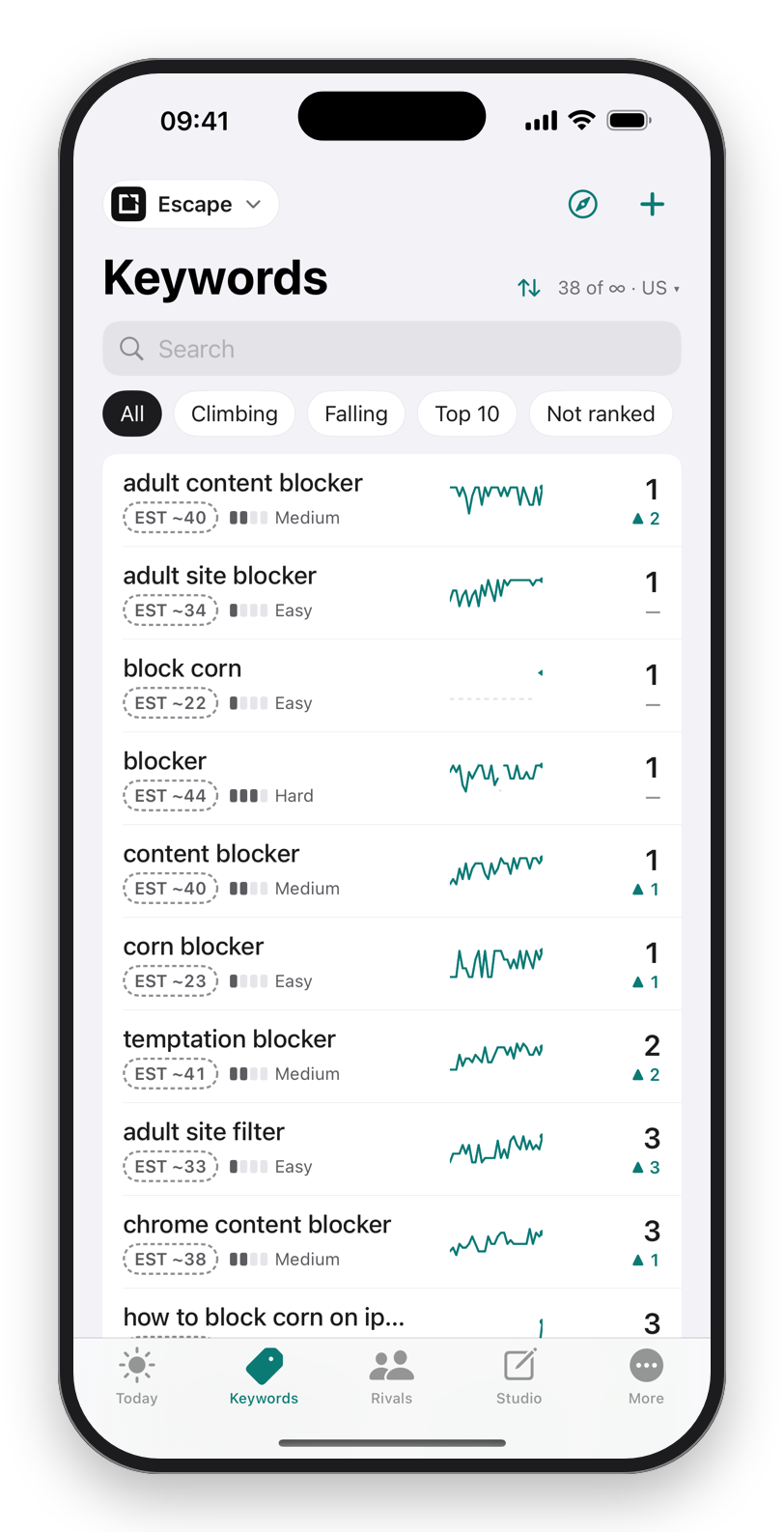
Minute 1: the app
Search your app by name and add it. RankASO reads the name, subtitle and storefronts from the listing. If your app is not out yet, you can set up the keywords first and the ranks begin the day it is live.
Minutes 2 to 5: the keywords
Three sources, in this order.
- The words already in your name and subtitle. Every combination of them is a term you may already rank for. For our own app Escape, "adult content blocker", "content blocker", "corn blocker" and "block corn" all come from the name and subtitle, and all four sit at number one in the US store without a single character in the keyword field.
- What the store completes. Type the first word of your niche into Discover and read the phrases. These are what people actually type. Take the ones that describe your app.
- The words in your keyword field, one term each, so that the field report can tell you later which of them earn anything.
Paste them in as one comma-separated list. Twenty to thirty terms is the right size for day one; the free plan takes thirty.
Minute 6: the storefronts
Two to start: the one where most of your downloads come from, and the one you suspect is next. For Escape that is the US and Canada; Canada turned out to hold eighteen of twenty top-10 terms, which we only learned by tracking it.
Minutes 7 to 9: the first check
Pull to refresh. RankASO reads each term's result to position 200 and shows your rank, the top 10 apps on the term with their ratings, a popularity estimate, a difficulty score and a verdict: Go for it, Climbable, Long shot, Skip. The first screen after the first check is the most useful screen in ASO, because it shows the gap between what you thought you ranked for and what you do.
Minute 10: the three terms that matter
Sort by verdict. Find the two or three Go for it or Climbable terms where you rank between 11 and 50. Set a goal on each. Those are the terms where one better word in the subtitle or field moves you onto the first screen of results. Everything else can wait.
Tomorrow morning
The widget shows what moved. Nothing moved is a fine answer for a week. When a term drops, open it: the top 10 shows whether a rival moved up or you moved down. When a term climbs into the top 10, the alert tells you. After two weeks you have a baseline worth changing the listing against, and that is when the field report and the rule checker earn their keep.
Download on theApp StoreFree to start. No account. Data Not Collected.
Questions
Do I need to add rivals on day one?
No. Get your own baseline first. Add rivals in week two, once you know which terms matter; their ranks are then read from the same searches as yours at no extra cost.
How do I know which storefronts to track?
Start with where your downloads come from, then one you suspect. A World Check in RankASO shows where you rank across many storefronts at once, and that usually names the surprise one.
What if most of my terms say Skip?
Then they are either walls held by big apps or terms nobody types. Both are good news on day one: you stop spending characters on them. Discover and the store's own completions will give you better ones.