 RankASO
Mac app or iPhone app for keyword tracking?
Read in: 日本語 · 简体中文 · Português · Español · Deutsch
A Mac app is the better place to do an afternoon of keyword research. An iPhone app is the better place to track the result, because tracking is a daily habit and the phone is the only device that is reliably in your hand when the ranks refresh. Most indie developers need the second thing every day and the first thing twice a year, which is why we built RankASO for the phone. Here is the honest split, and how to use both.
What the desk is for
Research is a wide task. You want a big table, many columns, a keyboard for pasting a hundred terms, and an hour without interruptions. A desktop tool, or a spreadsheet, is right for that. Do it before a launch and before each version where you touch the name, subtitle or keyword field. Export the list of terms you decided to care about. That list is usually twenty to forty terms per storefront, and it changes slowly.
What the phone is for
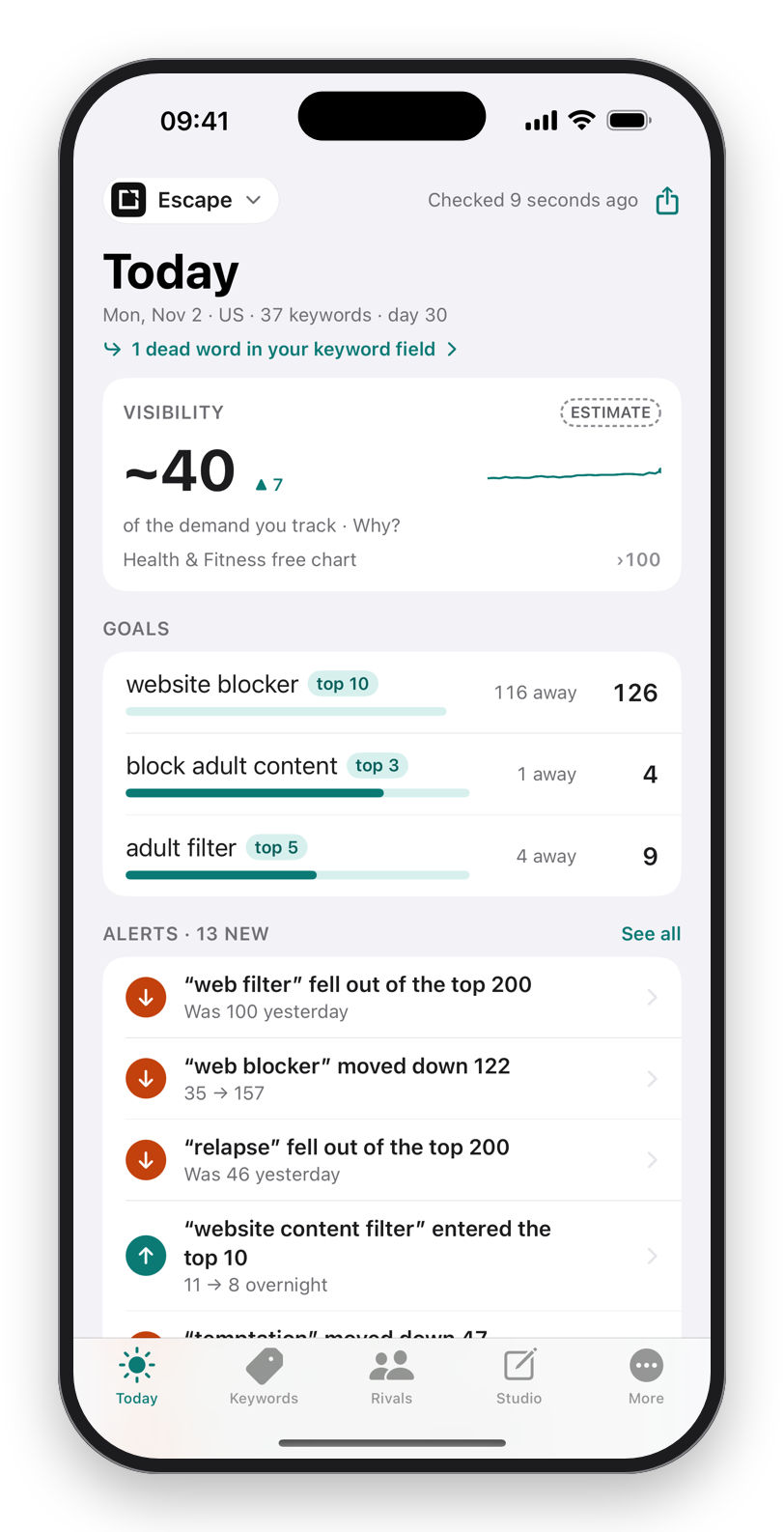
Tracking is a narrow task repeated every day: what moved, who moved, is anything on fire. It takes ten seconds if the answer is on a screen you already look at, and it does not happen at all if it needs a laptop, a browser tab and a login. Ranks refresh overnight. At 8 a.m. you have a phone. A home-screen widget showing yesterday's movement is the entire check, and a push alert on the day a term enters or leaves the top 10 is the rest.
The phone has a second advantage: it can do the job without an account. RankASO reads the public App Store directly from the device, keeps your history on the phone and in your own iCloud, and sends nothing anywhere. Your keyword list, which is your strategy, never sits on a server.
The handoff between the two
- Research at the desk, once. Build the list. Decide the storefronts.
- Paste it into the phone. RankASO takes a comma-separated list in one field, from the clipboard or from a research list you built in Discover on the phone itself.
- Let the mornings do the work. Every term, every storefront, every day, with rivals read from the same search as you.
- Go back to the desk only when something changed. A drop of ten places, a rival jumping, a version where you rewrite the field. Export CSV or JSON from the phone if you want the history in a spreadsheet.
Most weeks step four does not happen, and that is the point.
What you give up by choosing the phone
An iPhone screen shows one keyword's story at a time well and a forty-column table badly. There is no mouse. Apple caps how fast one device can check, so the phone tracks hundreds of keywords, not thousands. If your job is ASO for twenty client apps, you need a desk tool and probably a team. If your job is your own one to five apps, the phone does everything the desk did, plus the part the desk never did: getting looked at every day.
Download on theApp StoreFree to start. No account. Data Not Collected.
Questions
Can I use a Mac tool for research and RankASO for tracking?
Yes, and it is the setup we recommend. Research once at the desk, paste the terms into RankASO, and let the daily check and alerts carry the rest. Export from the phone when you want the history back on the desk.
Does RankASO have a Mac or iPad version?
No. It is an iPhone app, with a widget, alerts and CSV and JSON exports. The history syncs through your own iCloud, so a new iPhone picks up where the old one left off.
How many keywords can an iPhone track?
The free plan tracks 30 keywords for one app in two storefronts. Pro tracks up to 250 per app across 175 storefronts, with rivals read from the same searches at no extra cost.