 RankASO
Keywords for a first Apple Ads campaign: start from the terms you rank for
Read in: 日本語 · 简体中文 · Português · Español · Deutsch
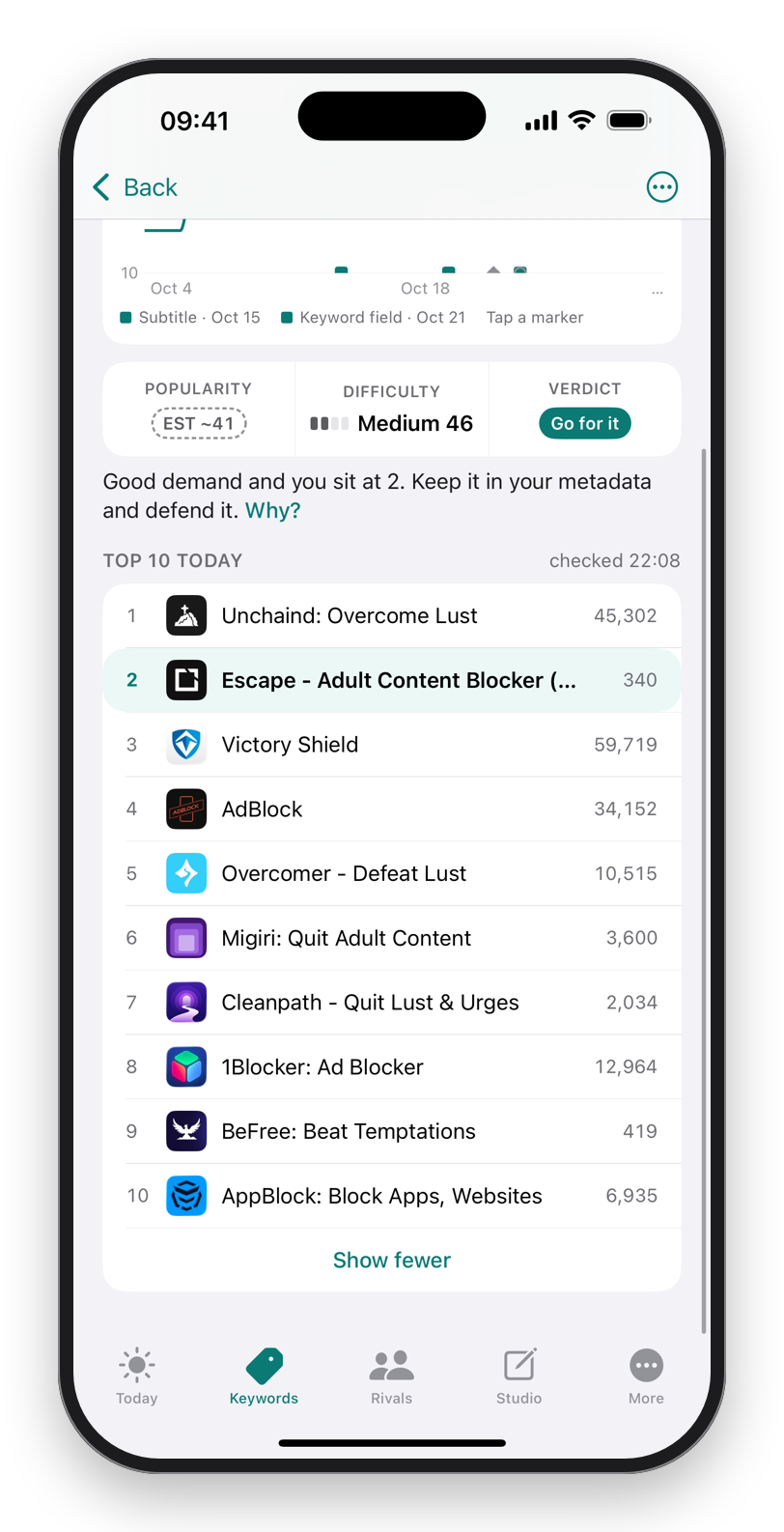
The best keyword list for a first Apple Ads campaign is the one you already have: the terms your app ranks for organically, in the storefront you are advertising in. Those terms are proven twice over. The store already thinks your page matches them, and users who tap them already download. Start there, add the Go for it terms you have not won organically yet, and leave the Long shots and the walls for later. RankASO's Search Ads export produces that list from your tracked terms, sorted by verdict, in one tap.
Why organic ranks make the best first ad list
An ad on a term shows your page to someone who typed it. If your page already converts for that term organically, it will convert from the ad too, and the cost per install will be the lowest you will see in the account. A term you have never ranked for is a guess: the page might not match what the searcher wanted, and you pay to find out. Guesses belong in a second ad group with a small budget, not in the first one.
The three groups
- Terms where you rank in the top 10. Your name and subtitle words and the phrases they make. Cheap, high conversion, and the ad defends the position against rivals bidding on it. For our own app Escape this is the "adult content blocker" family and the terms its name holds at number one.
- Go for it and Climbable terms where you rank 11 to 50. The page is relevant, the organic rank is not yet on the first screen, and the ad buys the first-screen position while the listing change catches up.
- Rival gap terms with an open top 10. Terms from the Gaps list that a comparable app earns installs from. Smaller budget, watched closely.
Skip terms with a verdict of Skip or a difficulty of Wall. A wall term is expensive in ads for the same reason it is unwinnable organically: large apps are already on it.
Match types, briefly
Exact match on the groups above, so that you pay for the terms you chose. One broad-match ad group on your two category words catches the phrasings you did not think of; read its search terms report weekly and move anything useful into exact match and anything irrelevant into negatives. The negatives list, by category.
The export
In RankASO, More → Search Ads export writes your tracked terms with their verdict, popularity, difficulty and current rank, per storefront, as a CSV that pastes into an ad group. Build the three groups from the verdict column. The search terms report from the campaign can be imported back, so the terms people actually typed become tracked terms and their organic ranks join the daily check.
What to watch after a week
Terms converting at a cost per install below what a download earns you stay and get more budget. Terms with taps and no installs are a page problem, not a keyword problem: the searcher wanted something the screenshots did not show. Terms with impressions and no taps have a weaker relevance than the organic rank suggested; pause them. Read it once a week, change one thing, and let the organic tracker tell you whether the ad is also lifting the organic rank, which on the terms you were already close to, it often does.
Download on theApp StoreFree to start. No account. Data Not Collected.
Questions
Which keywords should I start with in Apple Ads?
The terms your app already ranks for organically in that storefront, on exact match, then the Go for it terms where you rank 11 to 50. Proven relevance means the lowest cost per install.
Should I bid on high-volume keywords first?
No. High-volume terms held by large apps are expensive and convert worse for a small app. Start where the page is already proven and widen from the search terms report.
Does Apple Ads improve organic ranking?
Indirectly: installs from a term signal relevance for it. On terms where you were already close to the top 10, a campaign often moves the organic rank too. A daily tracker shows whether it did.